Advertisement
Action Running Arcade

Subway Sprint Challenge

Share

Review

Subway Sprint Challenge stands out with its clean comic-style art and responsive controls. The pursuit mechanic adds genuine tension without feeling unfair, and the randomized courses ensure no two runs feel identical. It is an excellent choice for players seeking a straightforward, family-friendly arcade experience that rewards practice and precision.

About this game

Visual Style and Atmosphere

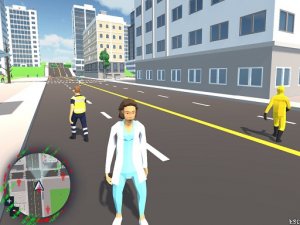
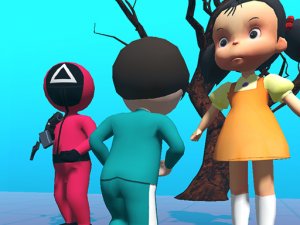
The game presents a lively, illustrated world using cell-shaded graphics. Bright colors and bold outlines give everything a comic-book feel, while subtle lighting effects add depth without overwhelming the screen. This art direction keeps the experience energetic and clear, making obstacles easy to spot even at high speeds.

Core Movement and Controls

Players control their character using simple keyboard inputs. Arrow keys or WASD handle left and right movement, while a separate button triggers jumps. The focus is on quick, precise reactions to avoid barriers and maintain forward momentum. There is no complex combo system, allowing anyone to pick up and play within seconds.

Obstacle Course Design

Each run generates a unique sequence of barriers and gaps. Some sections require rapid lane changes, while others demand perfectly timed leaps over low walls. The course never repeats exactly, which keeps the experience fresh and encourages repeated attempts to learn new patterns.

Pursuit Mechanic and Urgency

A pursuing group follows closely behind the player, adding constant pressure to keep moving. If the player slows down or makes a mistake, the pursuers get closer. This mechanic transforms each run into a race against time, where hesitation is as dangerous as hitting an obstacle.

Scoring and Progression

The primary goal is to cover as much distance as possible without crashing or getting caught. Each successful dodge and cleared obstacle adds to the score. The game tracks personal bests, motivating players to beat their own records. There are no in-app purchases or external rewards, keeping the focus on skill improvement.

Accessibility and Family Appeal

With straightforward controls and no mature themes, the game is suitable for players of all ages. The bright visuals and simple objective make it easy to understand, while the increasing difficulty provides a satisfying challenge for experienced gamers. It works well as a quick distraction or a longer session aiming for high scores.
Compatibility

This H5 game runs smoothly on:
โ€ข Desktop computers (Windows / Mac) โ€ข Mobile phones (iPhone / Android)
โ€ข Tablets (iPad / Android)
๐ŸŒ Best experienced with Chrome, Safari, or Edge

FAQ

Frequently Asked Questions

What platforms is Subway Sprint Challenge available on?
The game is currently available on web browsers and mobile devices. It can be played directly in a browser without any downloads, and a mobile version is available through app stores for both iOS and Android.
Does Subway Sprint Challenge require an internet connection?
An internet connection is needed to load the game initially, but once loaded, it can be played offline. However, leaderboards and saving high scores require a connection to sync data.
Are there different characters to choose from?
Yes, players can unlock various character skins as they progress. Each skin has a unique appearance but does not affect gameplay, keeping the focus on skill rather than pay-to-win mechanics.
How long does a typical run last?
A single run can last anywhere from 30 seconds to several minutes, depending on the player's skill. The game is designed for quick sessions, making it easy to pick up and play during short breaks.
Is there a multiplayer mode in Subway Sprint Challenge?
No, the game is a single-player experience focused on personal high scores. There are no multiplayer or competitive modes, which keeps the experience stress-free and suitable for all ages.
Can I play Subway Sprint Challenge on a controller?
Yes, the game supports external controllers on supported platforms. Players can use a gamepad for more precise controls, though keyboard and touch inputs work just as well.

Comments

0 comments
U
User
Loading comments...

Similar Games

Share this page

Copy the link below and share it with your friends!