What players say
Real Flight Simulator 3D Online Game delivers a satisfying simulation experience. The realistic physics and cockpit view create an authentic feel. Tutorials are well-designed, helping beginners learn takeoffs and landings step by step. Multiple aircraft and levels add replayability. The controls are intuitive, and the 3D graphics are clean. It is a safe, family-friendly game that encourages skill development without pressure. Perfect for short sessions or longer practice.
About this game
Game Introduction
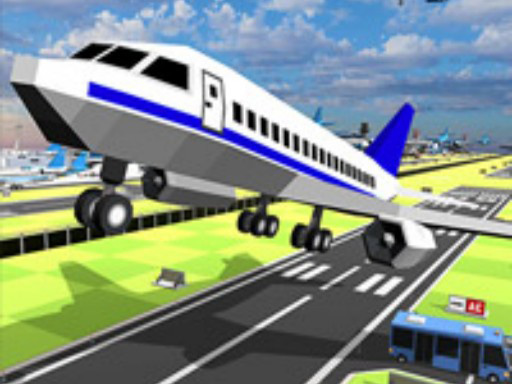
Real Flight Simulator 3D Online Game is an immersive flight simulation experience that teaches players how to pilot an aircraft from takeoff to landing. The game focuses on realistic flight physics and responsive controls, allowing players to manage throttle, steer with precision, and control altitude as they climb into the sky. With a cockpit view and multiple aircraft types, this simulation provides a safe and educational way to explore aviation. Whether you dream of flying or simply enjoy simulation games, this free online game offers an engaging way to learn the basics of flying.
How to Play
To play, first choose your aircraft from the hangar. Then select a mode, such as free play or guided tutorial. Use the on-screen controls to increase throttle for takeoff. Steer left or right to adjust direction, and manage your pitch to climb or descend. Follow the tutorial prompts for a smooth flight path. Practice landing by reducing speed and aligning with the runway. Each level introduces new challenges to build your confidence. The controls are designed to be responsive and easy to learn, making the game accessible for beginners.
Game Features
Realistic flight physics that mimic real aircraft behavior. Multiple aircraft types are available, from small planes to larger jets. Guided tutorials walk you through each step of flying. Free play mode lets you explore the skies without specific goals. Stunning 3D graphics create an immersive environment. The controls are responsive and easy to learn. The game is designed to be safe and family-friendly, suitable for all ages.
Tips for Success
Start with the guided tutorial to learn the basic controls and procedures. Practice takeoffs and landings repeatedly, as these are the most challenging parts of flight. Use the free play mode to explore without pressure and build confidence. Pay attention to your altitude and speed indicators to maintain smooth flight. Gradually increase the difficulty by trying different aircraft types and weather conditions. Consistent practice will help you master the skills needed for each level.