What players say
Ace Car Racing: 3D Arcade delivers an engaging driving experience with realistic graphics and four distinct environments. The upgrade system adds depth, allowing you to improve speed and handling. Collecting coins and diamonds keeps gameplay rewarding. Simple controls make it accessible for all ages, while the traffic dodging provides a steady challenge.
About this game
Game Introduction
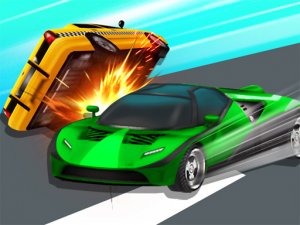
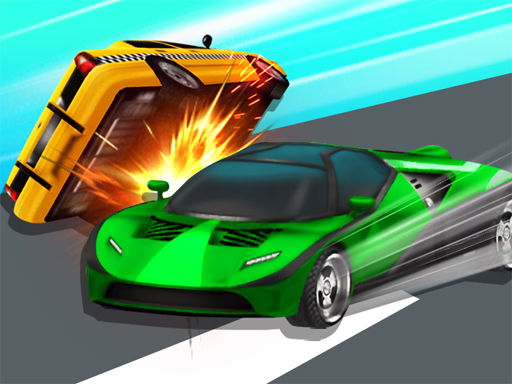
Ace Car Racing: 3D Arcade is a driving experience that places you behind the wheel of a modern sports car. The core objective is to navigate through dense city traffic without crashing. As you speed along, you encounter other vehicles, obstacles, and helpful items. Lightning bolts refuel your car, coins let you buy upgrades, and diamonds unlock rare vehicles. The game features four distinct environments: Seaside Roads, Exotic, City Racing, and Desert Trip. Each track offers a different visual theme and driving conditions, keeping the experience fresh.
How to Play
Players typically use keyboard arrow keys or on-screen touch controls to steer their car left and right. The main task is to avoid crashing into other vehicles and roadside barriers. Watch your fuel gauge — if it runs out, your race ends. Collect lightning bolts scattered on the road to keep your fuel tank full. Coins appear frequently; gather them to earn currency for upgrades. Diamonds are rarer but valuable for unlocking special cars with unique advantages.
Game Features
Realistic 3D graphics create an immersive driving experience. Four exotic tracks offer variety in scenery and difficulty. A car upgrade system lets you improve Acceleration, Max Speed, Wind Resistance, and Nitrogen. Special vehicles can be unlocked using diamonds, adding a strategic layer. Simple touch or keyboard controls make the game accessible to all ages. Coins and lightning bolts are placed on tracks to reward careful driving.
Tips for Success
Before starting a race, visit the upgrade shop. Invest in a car that suits your style, then tune its stats. A balanced setup works well for most tracks. Practice on each environment to learn traffic patterns and item locations. Focus on quick reflexes to weave through traffic and collect resources. Smart upgrades make a real difference in how your car handles, so experiment with different configurations.